
FAQ

Answers for Stats owners.

Search common questions about the Apple Watch app, iOS app behavior, notifications, privacy, phantom drain, charging costs, and general setup.

Showing all questions

Watch App

Apple Watch setup and key behavior

  1. Launch Stats app on your watch.
  2. Select your car on the screen that shows your car image.
  3. Tap WatchKey Settings.
  4. Tap Pair Watch With Car.
  5. Follow the instructions on your watch. It will ask you to tap the Key Card.
  6. Confirm the pairing on the car console.

If pairing is successful, you should see a Bluetooth icon at the top of the control screen on your watch. Once paired, the watch can unlock the car and let you drive it when you pull the door handle.

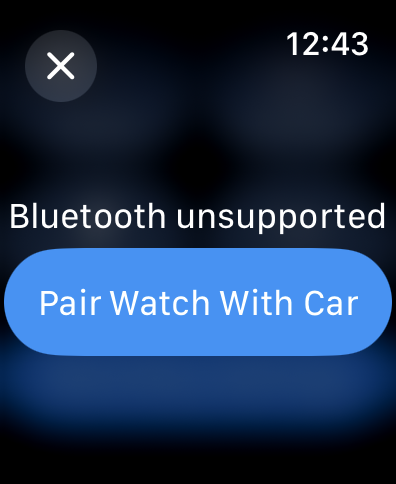
If you see Bluetooth unsupported while pairing, restart your watch and tap Pair Watch With Car again.
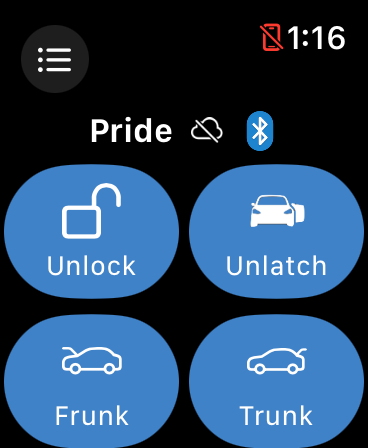
Stats watch control screen showing the Bluetooth icon after successful pairing
Bluetooth icon after pairing
Apple Watch screen showing Bluetooth unsupported with a Pair Watch With Car button
Bluetooth unsupported prompt

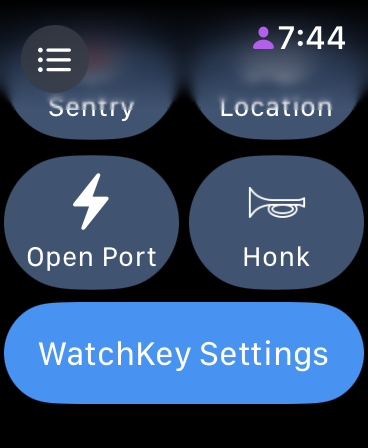
Tap Watch Key Settings. If you see Bluetooth unsupported, restart the watch, then tap Pair Watch With Car and follow the watch instructions to complete pairing.

Stats watch app screen with the WatchKey Settings button
WatchKey Settings
Apple Watch screen showing Bluetooth unsupported with a Pair Watch With Car button
Restart if Bluetooth is unsupported

If you do not see the Bluetooth icon at the top of the watch control screen, try these steps and stop once the icon appears:

  1. Remove the app from the background on your watch, then launch it again. To remove it from the background, double-click the Digital Crown and swipe left on the app.
  2. Restart the watch.
  3. If the Bluetooth icon still does not appear, unpair the watch from the car and pair it again. Remove the key associated with the watch before attempting to pair again.
Stats watch control screen showing the Bluetooth status icon near the top
Look for the Bluetooth icon

First, make sure the watch is paired with the car properly. If they are paired, you should see a Bluetooth icon at the top of the watch control screen.

If you do not see the Bluetooth icon, restart your watch and try again. If the icon still does not show up, pair the watch again using the instructions in this FAQ.

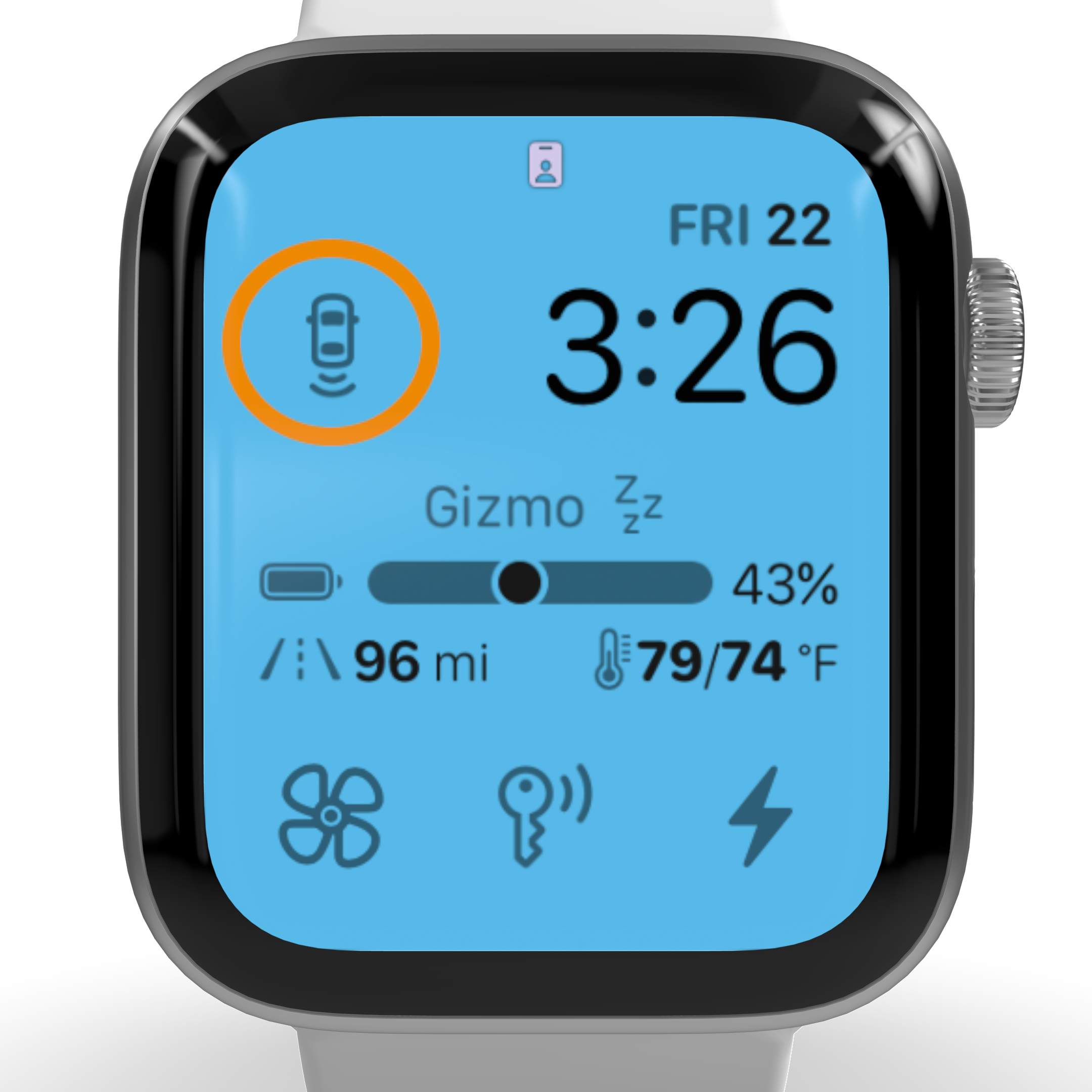
Once you see the Bluetooth icon, add the trunk/frunk proximity complication to your watch face.

To test the feature, lock the car and move about 15 to 20 feet away. Tap the complication, then approach the car. The trunk or frunk should open when you get close.

Stats watch control screen showing the Bluetooth icon
Confirm the watch is connected
Apple Watch face showing the Stats proximity complication circled
Add the proximity complication

The watch app requires at least watchOS 9.

If you are running watchOS 9 or higher and the Stats watch app does not show up in the list of apps in the Watch app on your iPhone, restart your iPhone and try again.

Perform these actions in order:

  1. Restart the iPhone.
  2. Delete the app from iPhone.
  3. Install the app from the App Store.
  4. Launch the app on iPhone and wait for it to connect to the car.
  5. Wait for the app icon to show up on the watch, then tap it to launch the watch app.
  6. If the watch says Launch the app on iPhone..., remove the iPhone app from the background and relaunch it.
  7. Wait for the watch to connect to the car and show your car name, range, and state of charge.
  8. Add complications if desired.

iOS App

Connectivity, widgets, Siri, and notifications

Stats automatically picks up cars linked to your account. If Stats does not show all cars in your account but the Tesla app does, log out from Stats in the Settings tab, then log back in.

If you sold your old car, you can remove it from your Tesla account by visiting Tesla's website.

  • If you have a legacy car, such as a Model S or Model X before 2021, enable third-party access for your car. On the vehicle touchscreen, go to Safety and enable Allow Third-Party App Data Streaming. Your data will not update until this is enabled.
  • Also make sure you granted every permission that Stats requires. If even one permission was not granted when Stats showed the permissions list, Tesla may not provide the information the app needs to operate.
  • if you are not sure whether all permissions were granted, open Tesla account permissions, log in to your Tesla account, and make sure all boxes are checked. Finally, make sure your car is registered with Stats. If you are not sure whether you have done this before:
    1. Open the Tesla app and select your car if you have more than one Tesla.
    2. Go to the Settings tab in Stats.
    3. Tap Register with car.

The app checks doors and trunks when you arrive somewhere and periodically after that, roughly every 30 minutes. Notifications are issued only if you are not in the car.

For example, if you open a door while the car is parked in your garage, you may not receive a notification immediately. The same applies to unlock notifications.

Make sure location permission is set to Always for Stats in the Settings app. This allows the app to detect arrival events.

To compute a meaningful average for efficiency and phantom drain rate, the app needs at least 10 data points. Once enough data has been collected, the vertical lines on the histograms will show up automatically.

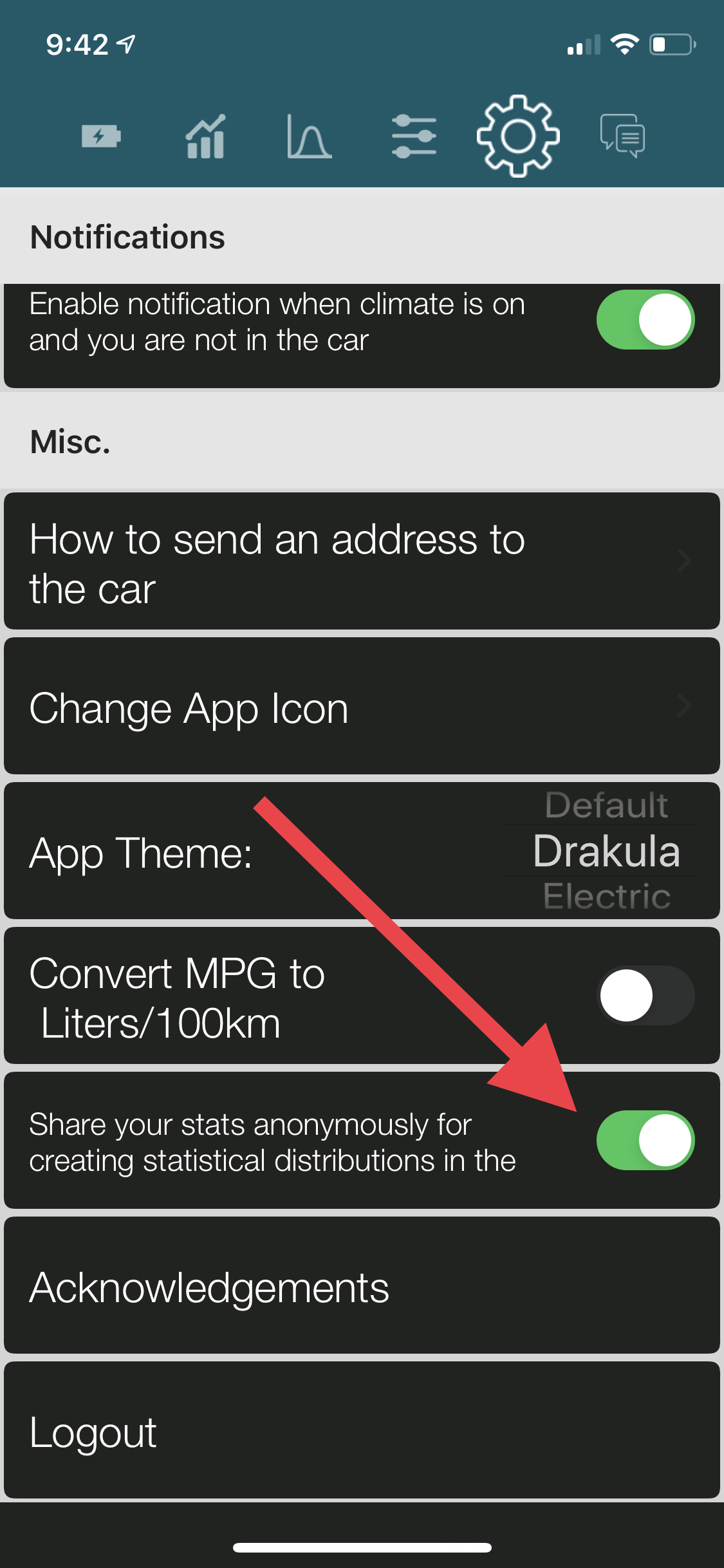
Also make sure the related setting switch in the app is enabled.

Stats app settings screen showing the share data option for histograms enabled
Make sure sharing for histogram data is enabled

Delete the Siri Shortcuts associated with Stats and add them again. Use the Shortcuts app to remove existing shortcuts.

The vertical dashed line representing your average phantom drain rate appears automatically once the app has collected at least 10 phantom-drain data points.

The MPG value and price of gas entered in Settings are used only to compute cost savings in the first bar chart on the second tab of the app.

For each charging session, Stats estimates the difference between the cost of adding equivalent range to your Tesla and to a gas car with the MPG you specify.

Stats uses iOS arrival detection to check door and trunk status shortly after you arrive somewhere. This requires the Always Allow location permission.

This has virtually no impact on iPhone battery consumption, and your actual location is not stored anywhere: not on a server and not even on your phone.

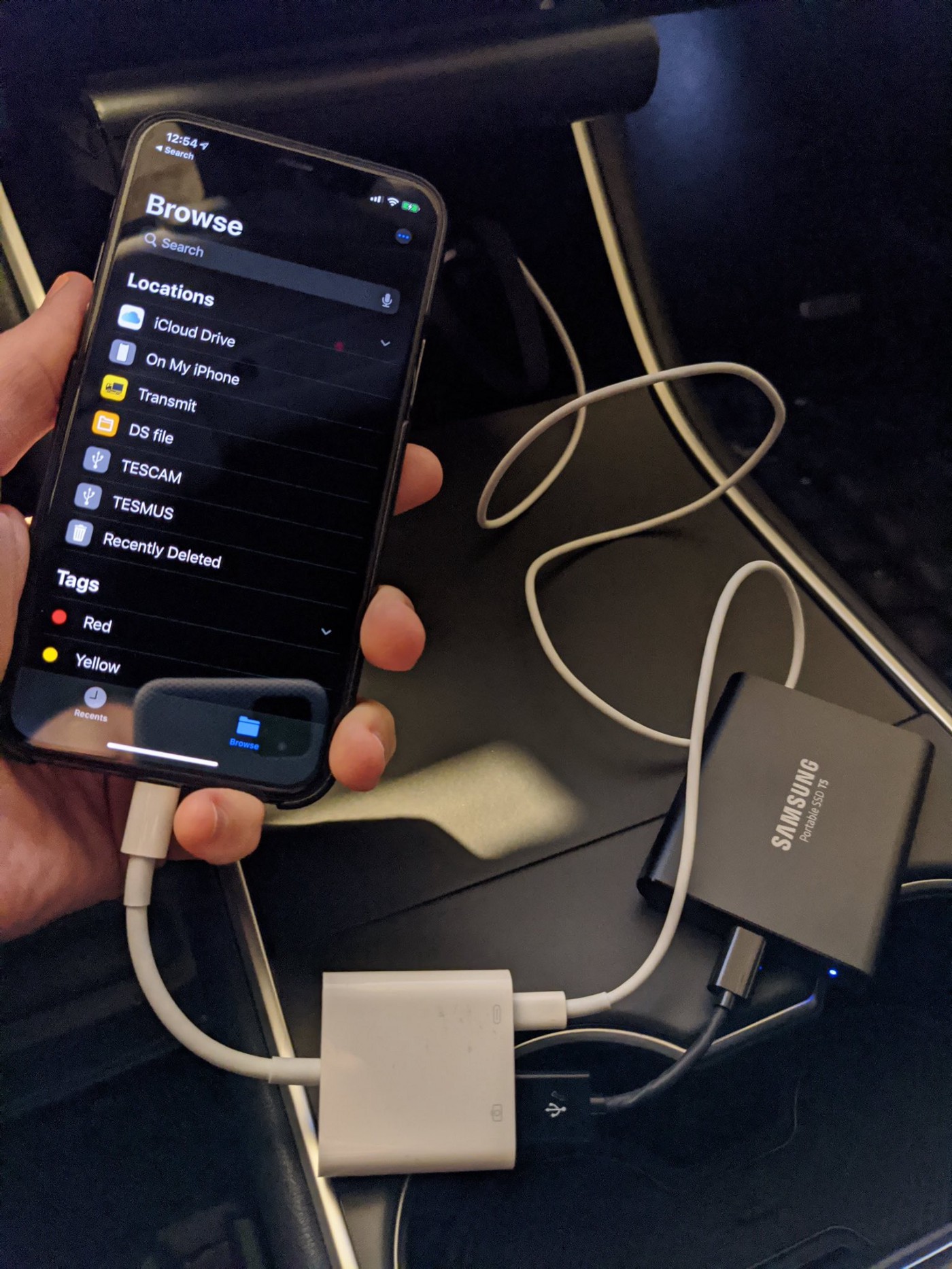
Any USB to Lightning adapter recognized by iOS should work with the app.

If your storage device is a large SSD, it may need to be powered. In that case, an Apple Camera Adapter is recommended. You do not need external power if you are using a USB drive, SD card, or the USB drive provided by Tesla.

USB, Lightning, and Apple camera adapters connected to an iPhone for viewing Sentry videos
Example adapter setup for external storage

Misc.

General app behavior and terminology

Rated range is the range Tesla considers typical. Estimated range is computed from your driving habits and temperature, so it is intended to be closer to the actual range you may get.

Efficiency is the ratio of estimated range to rated range. It can be greater than 100%, which simply means you drive more conservatively than Tesla's typical assumption.

No. You do not need to launch the app or keep it running in the background. When needed, iOS automatically launches the app in the background for a few seconds, then suspends it.

Background App Refresh must be enabled for the app to collect data.

In TeslaFi settings, set Idle Time Before Trying to Sleep to 10 minutes.

No. One of the main goals of Stats is to avoid affecting the car's range. The app was designed and tested so phantom drain remains unchanged with Stats installed.

iOS bundles background requests from apps to save iPhone battery. This can also bundle requests from the Tesla app and Stats so the car is not woken more than necessary.

The phantom-drain histogram in the app also shows that Stats users experience a low phantom drain rate.

The efficiency shown on the first screen is measured over about 10 miles. The efficiency values shown in the graph with orange dots are measured over 50, 200, or 500 miles.

The Always permission lets Stats detect when you arrive at a location so it can check door and trunk status and send a notification if a door, trunk, or frunk is left open.

The Always permission does not mean the app constantly tracks your location.

The app takes charger efficiency into account, around 85%. To add X kWh of energy to the car, you need to pull X divided by charger efficiency from the wall.